Do you make scope changes to a PBI visible?
Loading last updated info...
When the scope of a PBI changes, everyone affected must be able to see what changed, why it changed, and who agreed to it.
It’s common to discover extra work once implementation starts. That’s fine... silent scope changes are not.

You can automatically create a PBI with a recording using AI tools - the best one is YakShaver.
Why this matters
- PBIs drive expectations, estimates, and priorities. Uncommunicated scope changes create risk and confusion
- If there is a recording, it is prominent, so users may only watch the recording, and not carefully read the AI generated requirements (e.g. via YakShaver) so it is important to have new requirements called out in a comment
What to do when scope changes
If you realize an additional task should be part of an existing PBI:
- Confirm alignment first - Ideally, a scope change should be agreed with someone beforehand (e.g. “as discussed with Bob in today’s stand-up”)
- Document by updating the Acceptance Criteria - Make the scope change explicit by editing the Issue description with your name next to it. E.g. {{ NEW REQUIREMENT (Added by @username }}
- Also leave a comment explaining the change - Explain what was added or changed, the reason for the change, and who was involved in agreeing to it. The updated scope is clear, traceable, and visible to everyone
- CC the right people - Notify anyone impacted, including PBI creator, assignees, the Product Owner, reviewers, and stakeholders
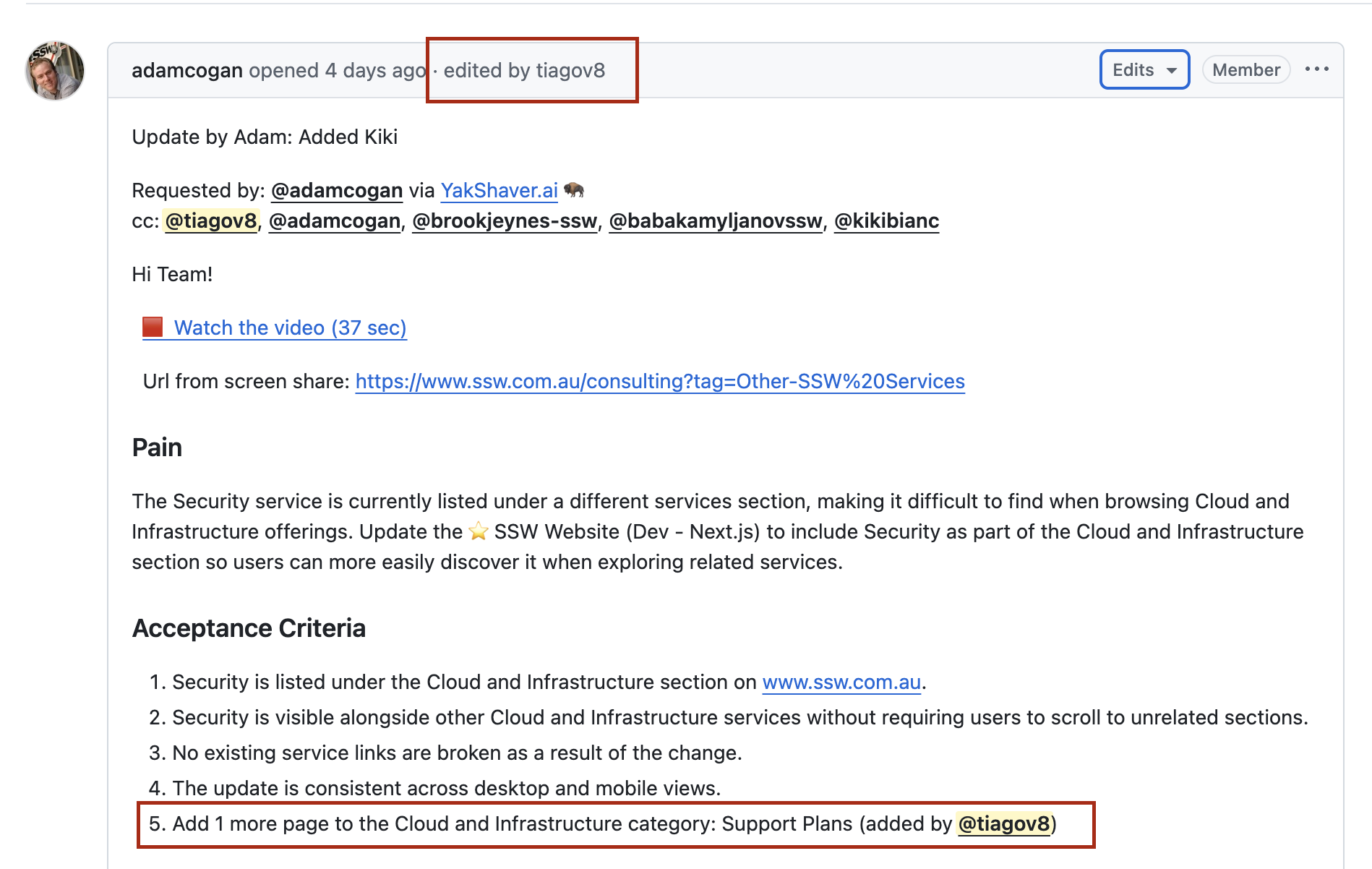
✅ Figure: Good example - New requirement has been added to the existing Acceptance Criteria
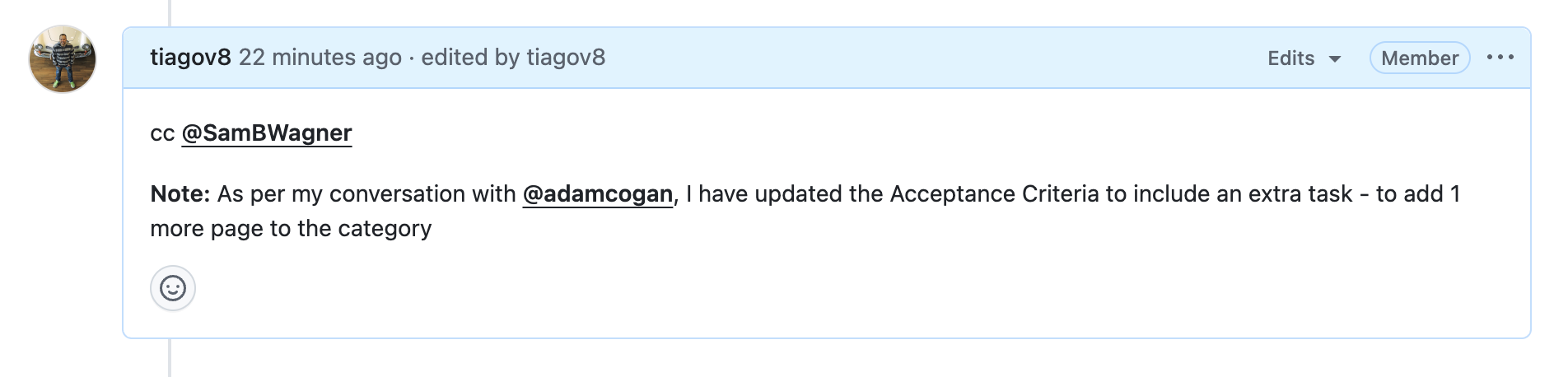
✅ Figure: Good example - Comment left to inform about the change
Other Changes in the GitHub edit history
GitHub makes changes easy to spot by showing an edit history for issues and comments, including a diff view, who made the change, and when.
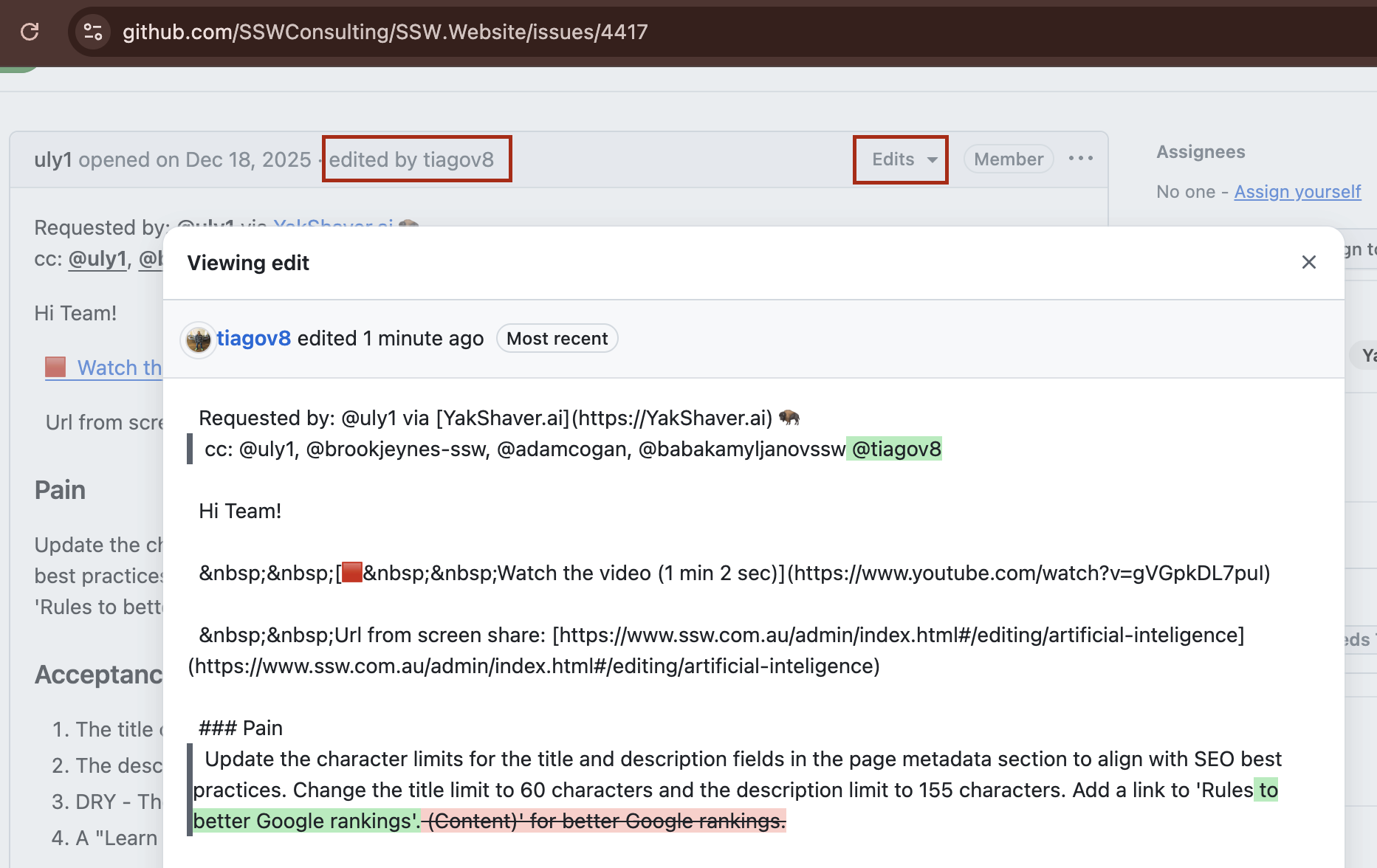
Figure: For any other PBI changes, users with read access to a GitHub repository can view the edit history